Practical Field Guide: How to Inspect & Edit Astronomical FITS Metadata
A hands-on troubleshooting guide for resolving stacking failures, debayer errors, plate-solving issues, and mislabeled filter tags in astronomical FITS files.
⚠️ Common Real-World Scenarios Requiring Header Editing
Whether you capture data with N.I.N.A., ASIAIR, KStars/Ekos, or proprietary observatory software, metadata errors frequently corrupt post-processing pipelines. Below are the most frequent issues experienced astronomers encounter:
❌ Missing or Corrupt BAYERPAT
Color cameras (OSC) require a valid BAYERPAT (e.g. RGGB, BGGR). If missing, Siril or PixInsight produces monochromatic or inverted color images during debayering.
BAYERPAT keyword to match your sensor's color filter array pattern.❌ Plate-Solving Failures (WCS / Scale)
Plate solvers (ASTAP, ASTROMETRY.NET) fail when telescope focal length (FOCALLEN) or sensor pixel size (PIXSIZE / XPIXSZ) are zero or incorrectly recorded.
❌ Unassigned Filter Metadata in LRGB / SHO
Mono imaging sequences occasionally lose the FILTER tag, causing automated stacking tools to blend Narrowband Ha with Luminance or Red channels.
Ha 3nm, OIII, Lum) on all relevant subframes.❌ Inconsistent Exposure Time (EXPTIME)
When stacking with sigma-clipping or exposure weighting, zero or mismatched EXPTIME values distort signal-to-noise ratio (SNR) algorithms.
🛠️ Visual Step-by-Step Walkthrough
Here is how you can inspect and modify these parameters safely using the zero-friction online editor:
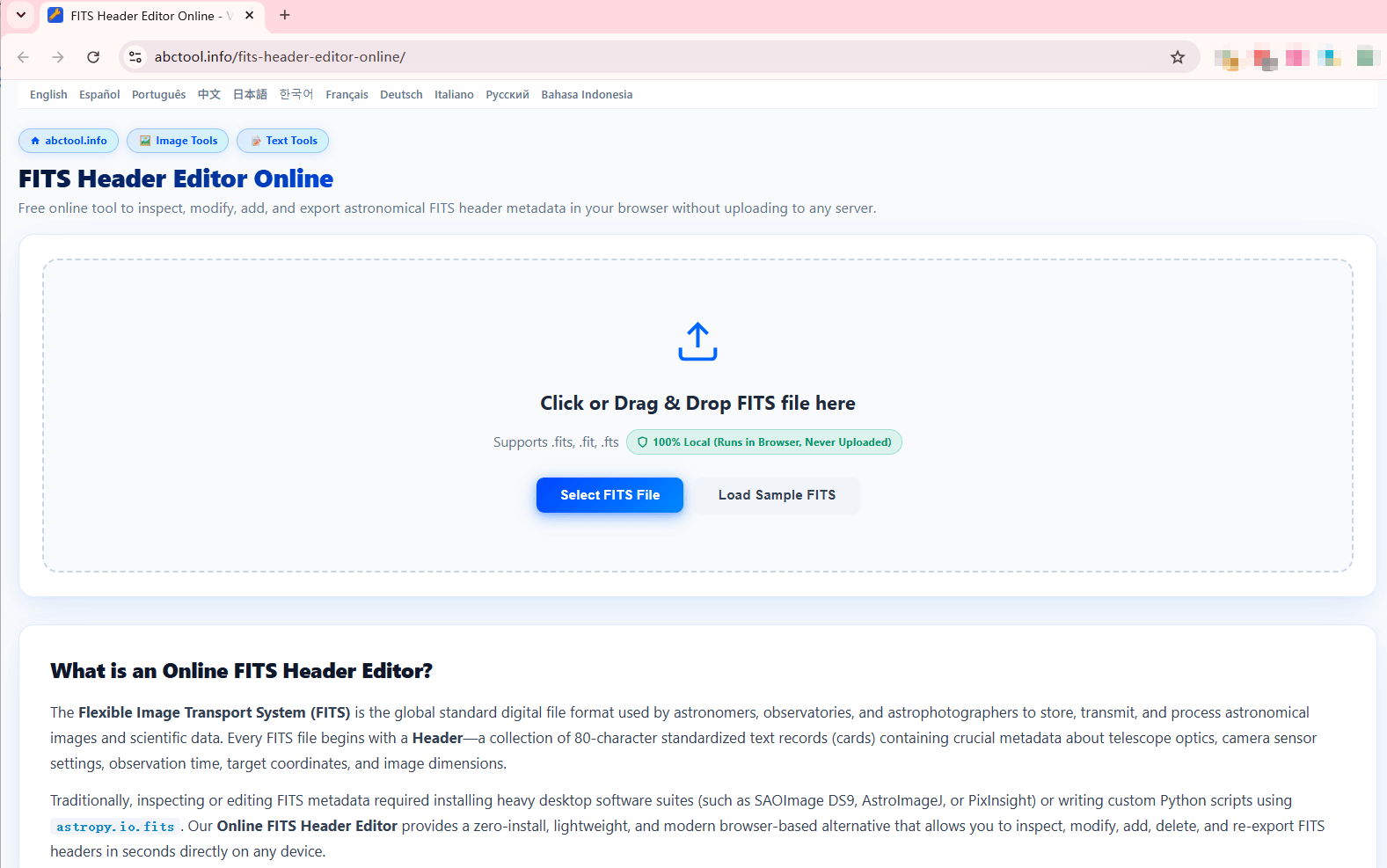
Step 1: Open and Inspect the File
Load your subframe or master light into the browser. The file is parsed completely client-side:
Step 2: Locate, Modify, or Add Missing Keywords
Use the structured table to make instant changes without writing scripts or opening terminal windows:
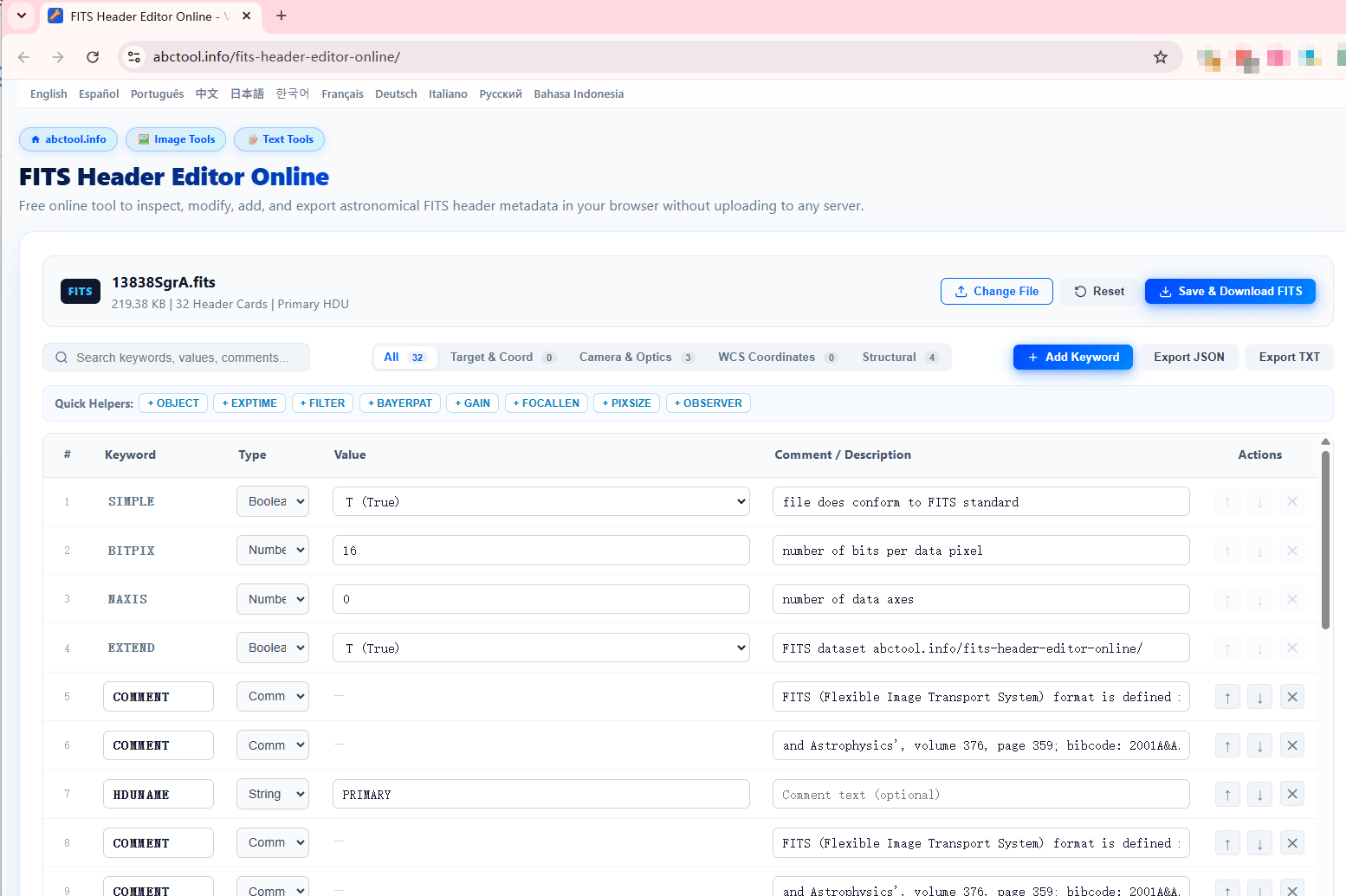
Pro-Tip for Fast Editing: Click the Quick Helpers buttons at the top of the table (such as + OBJECT, + EXPTIME, + FILTER, + BAYERPAT, + GAIN). The editor automatically fills the standardized keyword name and opens the input field with the proper data type pre-selected.
📖 Standard Astronomical FITS Keywords Reference Table
Refer to this reference when modifying standard header cards to maintain compatibility with NASA and IAU guidelines:
| FITS Keyword | Data Type | Example Standard Value | Scientific Description & Function |
|---|---|---|---|
SIMPLE |
Boolean | T |
Indicates whether the file conforms strictly to the standard FITS specification. Must be first card. |
BITPIX |
Integer | 16 / -32 |
Bits per data pixel (16 = unsigned/signed short; -32 = single-precision IEEE float). |
NAXIS |
Integer | 2 (or 3) |
Number of coordinate axes (2 for 2D astronomical image; 3 for datacubes/RGB). |
OBJECT |
String | 'M42 Orion Nebula' |
Target celestial object name for cataloging and project identification. |
EXPTIME |
Float / Number | 300.0 |
Total exposure duration of the observation measured in seconds. |
FILTER |
String | 'Ha', 'OIII', 'Luminance' |
Optical filter utilized during the capture sequence. |
BAYERPAT |
String | 'RGGB' / 'BGGR' |
CFA (Color Filter Array) pattern required for proper debayering. |
FOCALLEN |
Float / Number | 800.0 |
Effective focal length of the telescope/lens optical train in millimeters. |
PIXSIZE |
Float / Number | 3.76 |
Physical pixel pitch of the sensor active area in microns (μm). |
GAIN |
Integer / Float | 100 |
Sensor amplifier gain setting utilized during frame acquisition. |
Fix Your FITS Headers Online
Clean, correct, and re-export your astrophotography files in seconds with zero server uploads.
Open FITS Header Editor Online ↗🔗 Related Resources
Check out our comprehensive tool comparison: Desktop Pro Software vs. Python Astropy vs. Online Browser Tool →